Write it on a note. Get a real plan.
A paragraph is enough. GanttChart.AI turns it into a Gantt chart with tasks, dates, owners and dependencies in about thirty seconds, then lets you edit every bar.
Used by 2,100 or more teams, agencies and project leads.
What comes back, 29 seconds later
Seven weeks from March 17. Six people and an agency.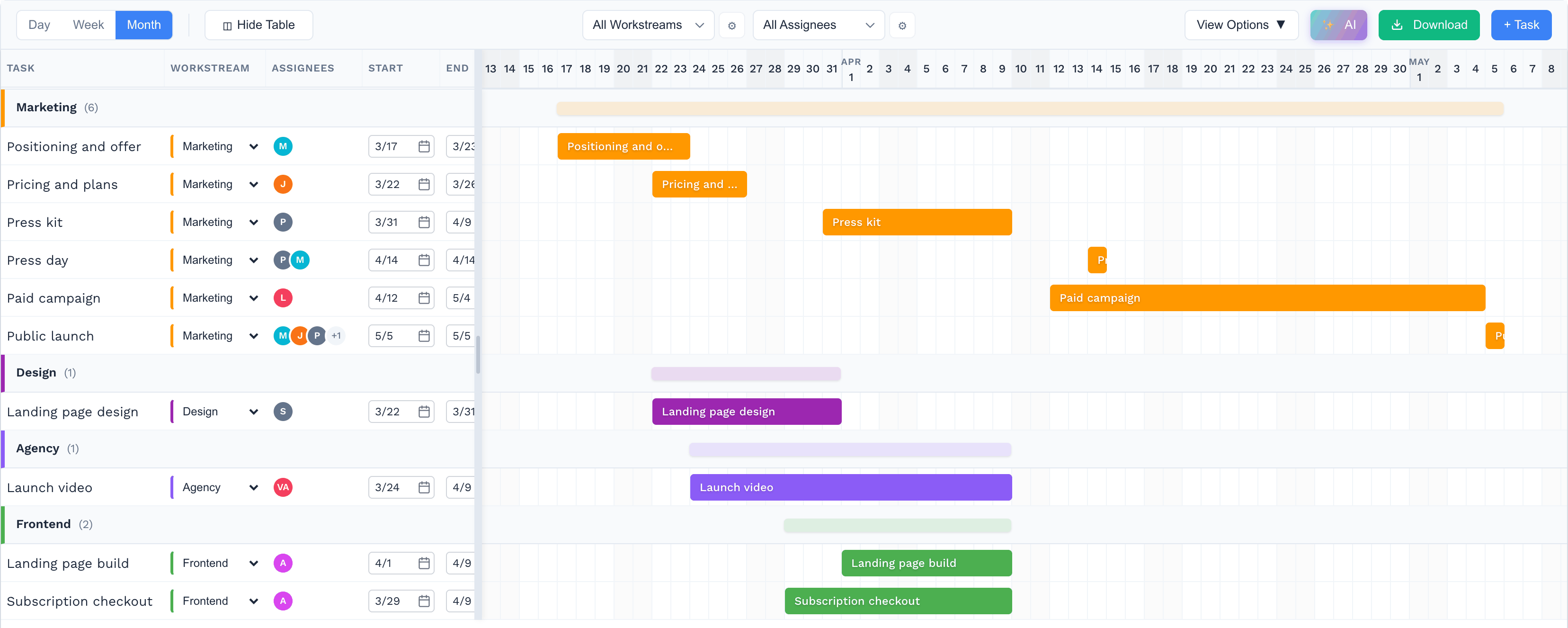
Four notes, in order
The AI drafts, you decide. Each step is a place to check its work before it reaches your calendar.
Describe
A paragraph in plain English. Mention your people, a start date and any hard deadline.
Review
The AI lists the tasks it heard, with durations and what depends on what. Rename, remove or add.
Edit
Drag bars, link tasks, assign owners. Circular dependencies are caught before they reach the plan.
Share
Google Sheets, Excel, CSV, JSON or a link. Every chart stays in your account.
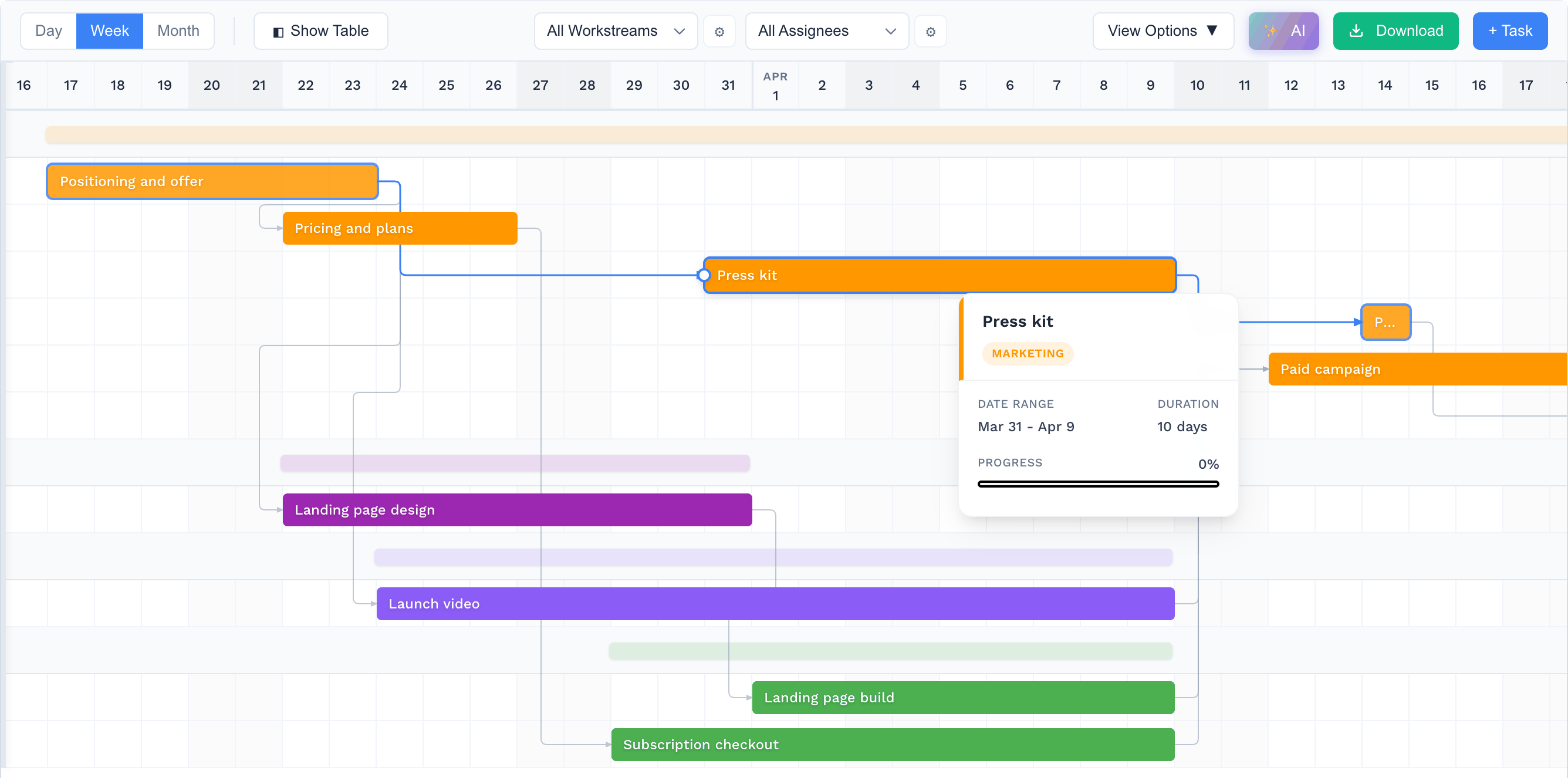
Move a bar. The rest of the plan keeps up.
Drag a task and everything that depends on it moves. Link two tasks and the launch date updates. Assign an owner and see where they are double booked.
- Drag to move or resize tasks
- Dependencies with cycle detection
- Assign teams and people
- Ask the AI to extend or refine a phase
Google Sheets
A live sheet in your Drive the whole team can open and comment on.
Excel
A formatted XLSX with the bars drawn in, ready for a status update.
CSV and JSON
Take the plan into whatever tool the team already uses.
Pricing
One credit makes one chart. Monthly credits roll over if you do not use them.
Free
Try it out
- 2 charts
- Save to Google Sheets
- Export to Excel, CSV or JSON
Starter
For occasional use
- 10 credits every monthUnused credits roll over
- Full editor access
- Watermark-free exports
Pro
For regular users
- 20 credits every monthUnused credits roll over
- Full editor access
- Priority support
Business
For power users and teams
- 100 credits every monthUnused credits roll over
- Everything in Pro
- A named contact for support
Questions
What is a Gantt chart?
A schedule drawn as bars on a calendar. Each bar is a task, its length is the duration, and arrows show which tasks wait on others.
Can the whole team edit it?
Yes. Open it in Google Sheets and share it, or send a link to the editor. Changes stay with the chart in your account.
What kinds of projects fit?
Anything with tasks that have durations and an order: launches, events, construction, marketing campaigns, software releases.
What happens to unused credits?
They roll over to the next month on Pro and Business plans.